Rigging
Rig Definition
The asset that stores your source mesh and your markers.
A Rig Definition (URigDefinition) is the asset that holds everything RiggingCore needs to build a rig: the source mesh and the list of landmarks you placed on it.
It is a normal asset. It saves with your project, it goes into source control, and you can regenerate the rig from it at any time.
Creating one
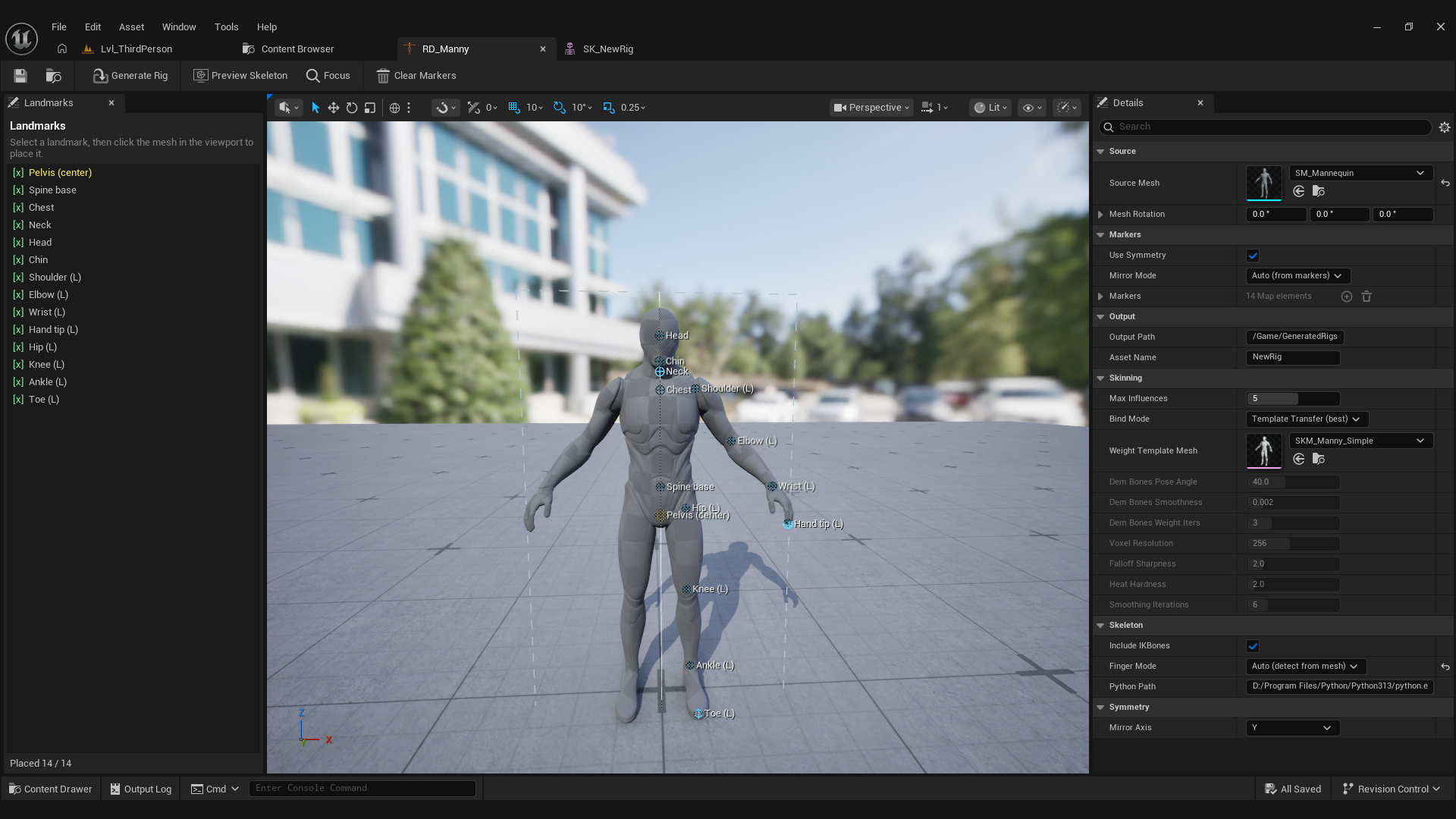
Right click in the Content Browser and choose Rig Definition. Open it to get the marker editor: a viewport showing the mesh on the left and the marker list on the right.
What it stores
- Source Mesh: the static mesh to rig.
- Landmarks: the marker positions, in the mesh's local space.
Because the markers live in mesh space, you can move, rotate, or scale the actor in the level without invalidating them.
Regenerating
Generating the rig again overwrites the previously saved SK_ and SKEL_ assets. That is the normal workflow: place markers, generate, look at the result, nudge a marker, generate again.