Get started
Installation
Get the plugin into a project and check it loaded.
Requirements
- Unreal Engine 5.8
- A C++ or Blueprint project. The plugin ships compiled, so a Blueprint only project works fine.
Install the plugin
- In the Epic Games Launcher, find Footstep System in your Fab Library and press Install to Engine.
- In your project, enable it under Edit > Plugins.
- Restart the editor.
INFO: Installing to the engine covers every project on that engine version. Enabling it is per project.
Check it loaded
Right click in the Content Browser. There should be a Footstep System entry in the menu with two things in it: Footstep Database and Footstep Action.
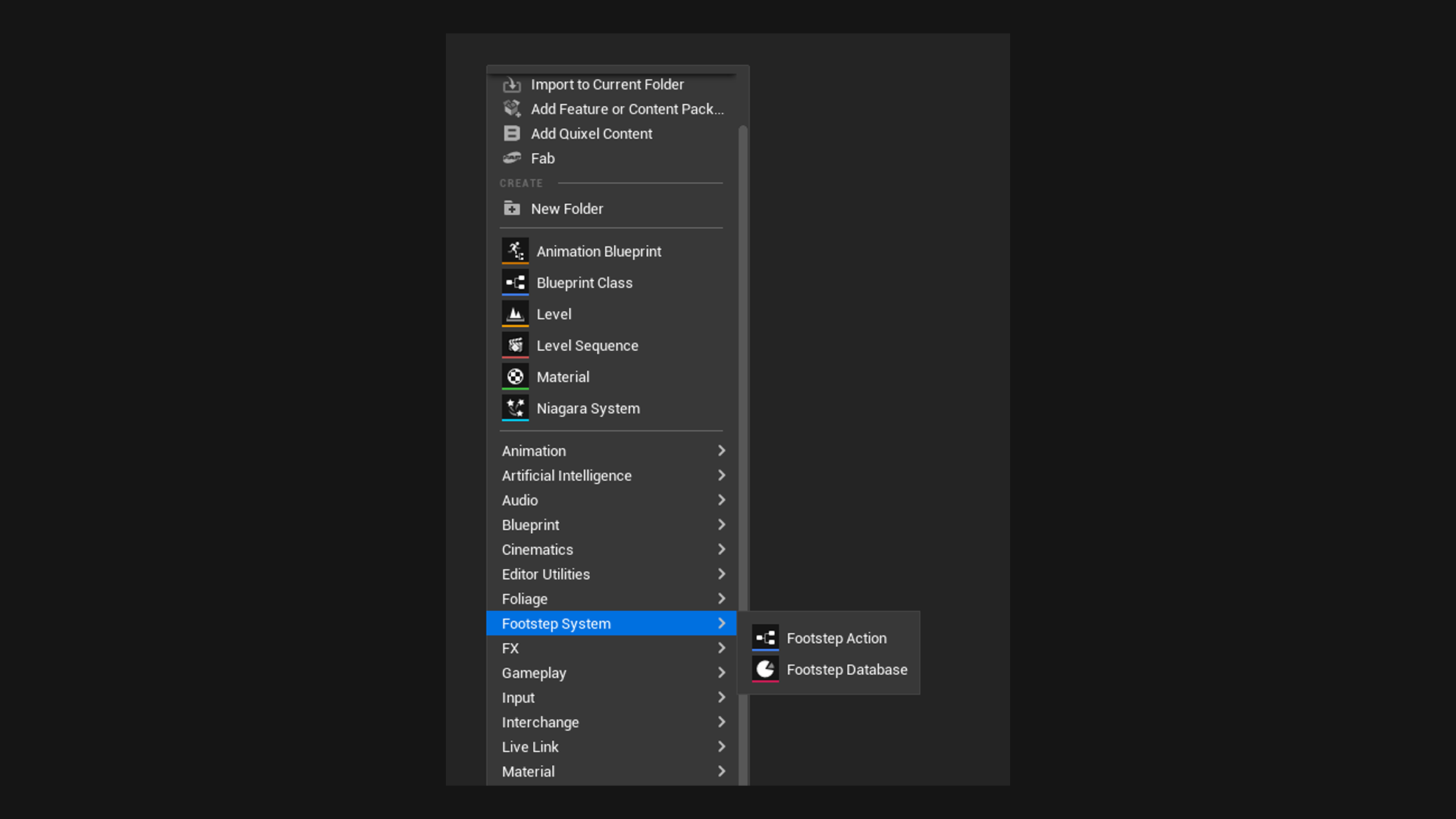
If it is there, you are ready for the Quickstart.
What comes with it
The plugin ships a playable demo in its own Content folder. Everything lives under Demo, so you can keep it for reference or delete it in one go.
| Asset | What it is |
|---|---|
| Maps/Lvl_FootstepDemo | A small level to walk, run and jump around in. See The demo. |
| Blueprints/DA_FootstepDemoDatabase | A filled in database to learn from |
| Blueprints/Actions/BP_FootstepAction | An example Footstep Action that prints each step to the screen |
| Audio/ATT_Footstep | A Sound Attenuation tuned for footsteps |
| Audio/SC_Footstep | A Sound Concurrency that caps how many footsteps play at once |
INFO: Plugin content is hidden by default. Turn on Show Plugin Content in the Content Browser's settings to see it.
The demo also adds a few Gameplay Tags under FootstepDemo to your tag list. Only the demo uses them, and The demo explains how to remove them.