Reference
Component settings
Every property on the Footstep Component.
Grouped the way they appear in the details panel.
Database
| Setting | Default | What it does |
|---|---|---|
| Databases | empty | Searched in order until one matches |
| Use Project Default Databases | on | Also search the project settings ones, after these |
| Preload Assets On Begin Play | on | Loads everything in the background at start. Leave this on. A dedicated server only loads the databases. |
| Preload State Filter | empty | Only preload one branch of states. A parent tag covers everything under it. |
| Allow Synchronous Database Load | on | Lets a database load block if a footstep needs one that is not in memory. Databases are small unless their actions pull in heavy assets, and this is what stops the first footstep being dropped. |
State
| Setting | Default | What it does |
|---|---|---|
| Current State | empty | Replicated. Set it with Set Footstep State. |
| Query Owner For State | on | Ask the owner through the interface first |
Detection
| Setting | Default | What it does |
|---|---|---|
| Surface Source | Line Trace From Foot | How the surface is found. See Surfaces. |
| Use Project Default Trace Settings | on | Take the channel and distances from the project settings |
| Trace Channel | Visibility | Add your own channel if footsteps should ignore some geometry |
| Trace Distance | 60 | How far below the foot to reach |
| Trace Start Offset | 20 | How far above to start, so a foot slightly sunk into the floor still hits it |
| Trace Complex | on | Needed for per face physical materials and landscape layers |
| Target Mesh | empty | Pick the skeletal mesh from the actor's own components. Leave it empty and it works it out: the notify's mesh, else the Character mesh, else the first skeletal mesh. With several Footstep Components on one actor, each mesh's notifies go to the component that picked it. |
Playback
| Setting | Default | What it does |
|---|---|---|
| Auto Play Sound | on | Play the picked sound |
| Auto Spawn Effect | on | Spawn the particle. Cascade only. |
| Auto Spawn Decal | on | Spawn the decal |
| Use Project Default Max Audible Distance | on | Take the distance from the project settings |
| Max Audible Distance | 5000 | Footsteps further from every local view are not played. 0 turns culling off. |
| Use Project Default Debounce | on | Take the debounce window from the project settings |
| Min Time Between Footsteps | 0.08 | Shortest gap between two steps from the same foot |
| Attach Sound To Mesh | off | Follow the character instead of playing at a fixed point. For fast movers. A footstep with no foot bone on the mesh, like one from Trigger Footstep At Location, still plays where it happened. |
INFO: Min Time Between Footsteps is tracked per foot, so it never swallows a real left then right step. It exists to stop the double footstep you get when two animations that both carry a notify blend into each other.
Network
Covered in Multiplayer.
Debug
| Setting | Default | What it does |
|---|---|---|
| Draw Debug | off | Draw the trace and print what was resolved, for this component only |
The console command FootstepSystem.Debug 1 does the same for every component at once, which is usually quicker.
Project settings
Project Settings > Plugins > Footstep System holds the defaults every Use Project Default switch above reads from, plus the default databases and the tags the animation modifier starts with.
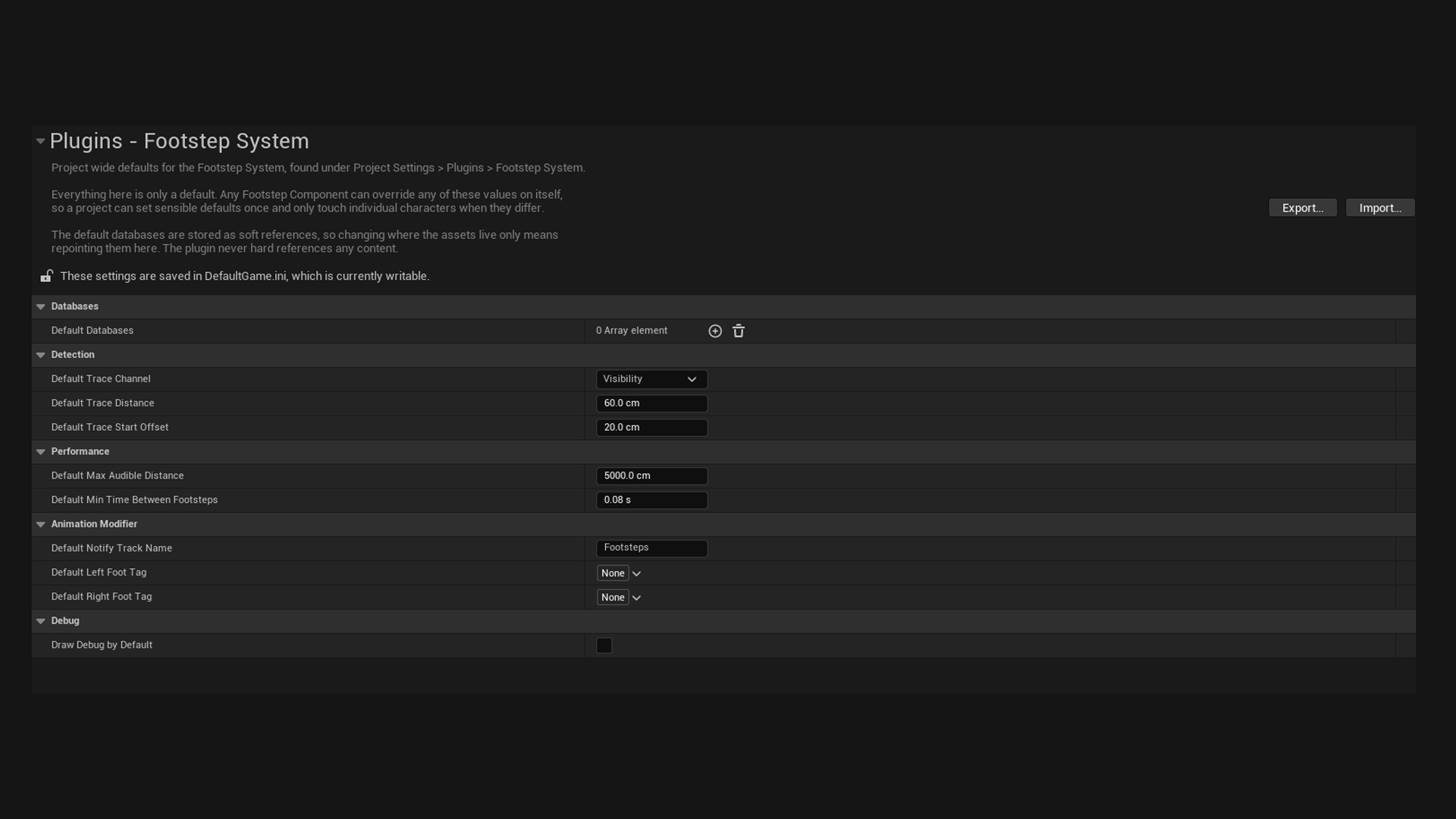
| Setting | Default | What it does |
|---|---|---|
| Default Databases | empty | Searched by every component with Use Project Default Databases on |
| Default Trace Channel | Visibility | Channel for surface traces |
| Default Trace Distance | 60 | How far below the foot to reach |
| Default Trace Start Offset | 20 | How far above the foot to start |
| Default Max Audible Distance | 5000 | Distance culling. 0 turns it off. |
| Default Min Time Between Footsteps | 0.08 | Debounce window, per foot. 0 turns it off. |
| Default Notify Track Name | Footsteps | Prefilled on new animation modifiers |
| Default Left Foot Tag | empty | Prefills a new modifier's first foot |
| Default Right Foot Tag | empty | Prefills a new modifier's second foot |
| Draw Debug By Default | off | Debug drawing for every component |