Blueprint
Footstep Actions
Blueprint logic attached to a single surface.
A Footstep Action is a Blueprint with one event in it. You attach it to a row in the database, and it runs when a footstep happens on that state and surface.
This is how you add behaviour to one surface without writing a single check.
Making one
- Right click in the Content Browser, then Footstep System > Footstep Action.
- Open it and add the Entry event.
- Put your logic in there.
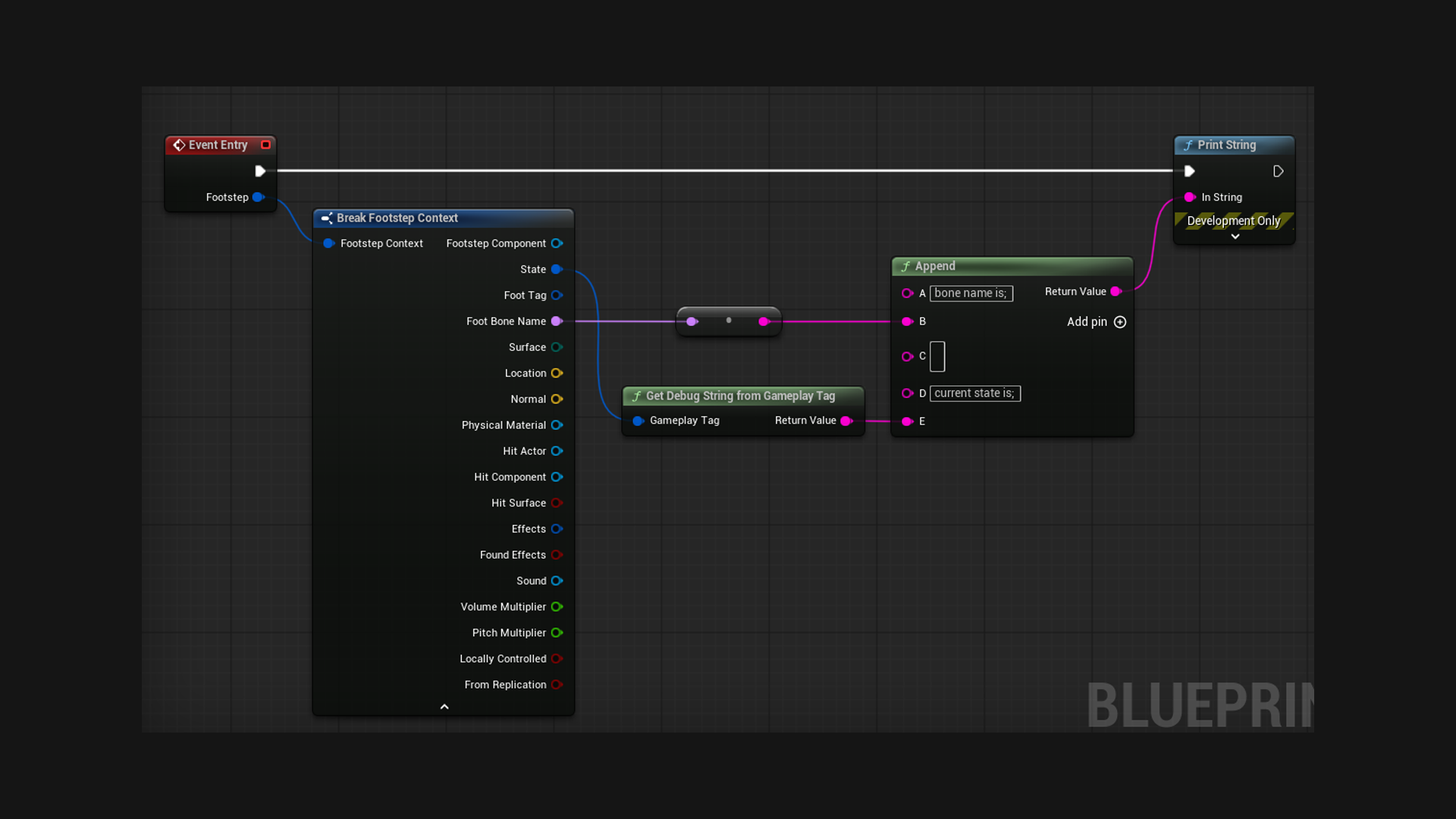
That menu entry makes a Blueprint already parented to Footstep Action, so you do not have to hunt for the parent class.
The demo includes a working one, Demo/Blueprints/Actions/BP_FootstepAction. Its Entry event prints the step to the screen, and the demo's Land entry runs it.
Using one
In your database, open an effect set, then Gameplay > Actions. Press + and pick your action.
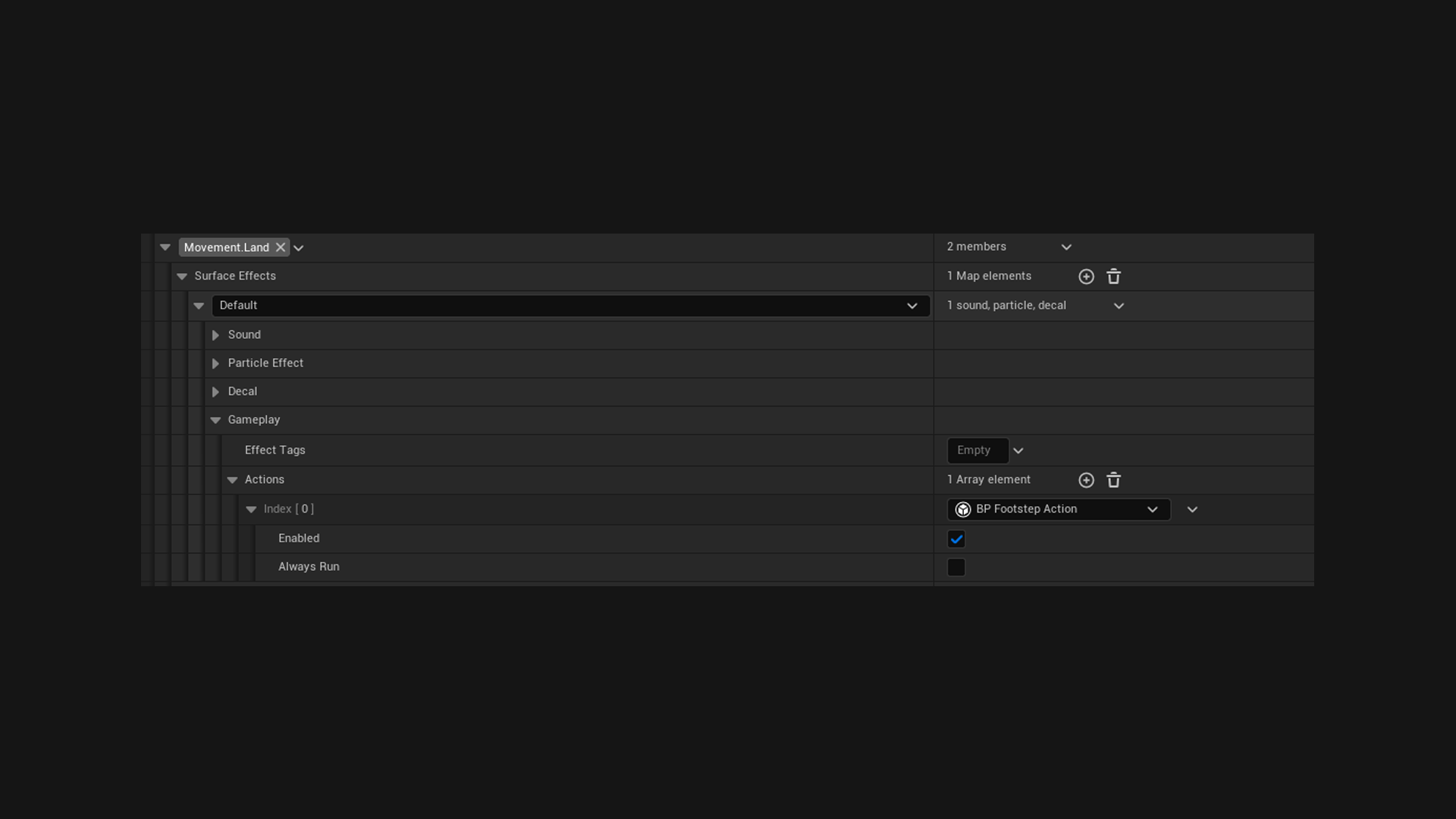
Because the list is on the row, the action only runs on that state and surface. A splash effect on wet surfaces costs nothing everywhere else.
Variables show up in the database
Anything you mark Instance Editable appears inline next to the action in the database.
So one action class gets reused with different settings per surface. A single Spawn Effect action pointing at dust on gravel and at water on puddles, rather than two Blueprints.
Spawning Niagara
The plugin will not spawn a Niagara system for you, but your action can:
Event Entry (Footstep)
  -> Break Footstep Context
  -> Spawn System At Location (your system, Location, Normal)
World context nodes all work normally inside Entry, so Spawn Actor, Play Sound at Location and the rest need nothing special.
The two built in settings
Every action has these on top of your own:
| Setting | Default | What it does |
|---|---|---|
| Enabled | on | Turn the action off without deleting it or losing its settings |
| Always Run | off | Run even when the footstep makes no sound |
Always Run is worth understanding. Left off, the action counts as cosmetic: skipped on a dedicated server, and skipped when the footstep is too far away to hear, exactly like the sound is.
Turn it on for gameplay that has to happen either way, like reporting noise to AI. Bear in mind it then runs on a dedicated server too, so it must not assume there is a local player or anything on screen.
One rule
Variables are for settings you fill in on the database and only read at runtime. Those are safe.
Actions are also the only hard references in a database: an action's Blueprint, and everything it hard references, loads together with the database. Keep heavy assets inside actions as soft references.
When they run
After On Footstep is broadcast, and before the automatic sound, particle and decal. They run in the order they are listed.