MultiAO for Unreal Engine
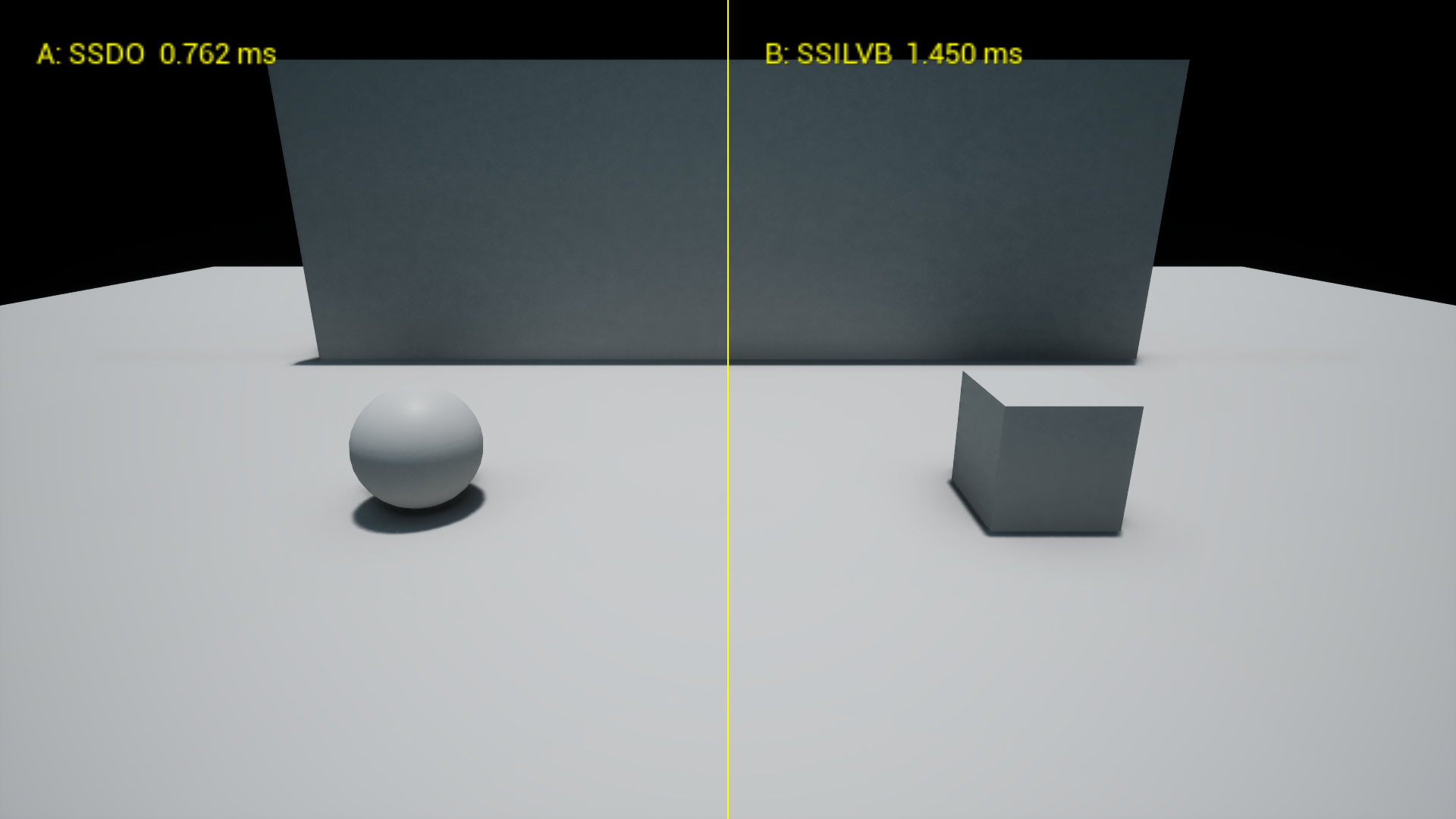
Nineteen ambient occlusion methods behind one dropdown, sorted from the cheapest to the most expensive, with a side by side compare view that prints each method's GPU cost.
MultiAO is an Unreal Engine 5 plugin that puts nineteen ambient occlusion methods behind one dropdown, grouped by tier, and lets you compare any two of them side by side with their GPU cost on screen.
I made it because the engine decides your AO for you. Which one you get depends on your GI setting, and trying a different technique means changing how the whole scene is lit. I wanted to try HBAO, GTAO, AMD's CACAO or a capsule shadow in my own level and see what each one actually costs.
What it does
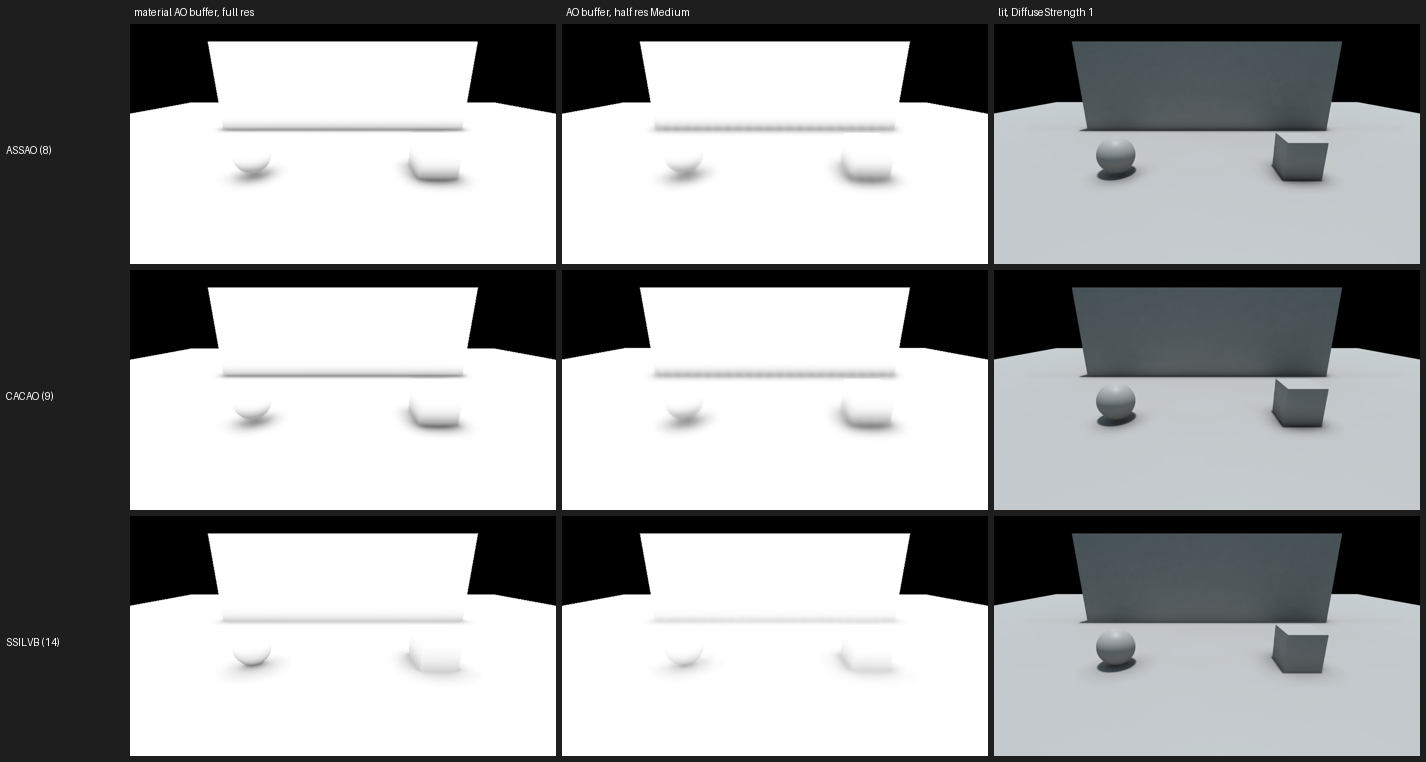
- Nineteen methods in one dropdown: a baked per vertex AO, classic screen space methods (SSAO, SAO, HBAO, GTAO), GPU vendor samples (AMD CACAO and HDAO, Intel ASSAO, Microsoft MSVO), CORTAO, SSILVB, SSDO, and analytic capsules and boxes for moving characters and props.
- Writes into material AO, so it stacks with your materials instead of replacing them.
- A compare view with method A on the left, method B on the right and each one's GPU time.
- Compatibility rules that warn about, or block, methods that cannot work with your GI or hardware.
- An optional screen space colour bounce for SSILVB and SSDO.
- Switches for the engine's own DFAO, RTAO, Lumen AO and the path tracer from the same dropdown (the ray traced ones are not verified yet).
How it is built
- UE 5.8 C++ plugin. A runtime module for the methods and an editor module for the PBAO baker.
- Hooks in through a scene view extension right after the base pass, and multiplies its result into the GBuffer's material AO.
- Vendor ports stay close to the originals: AMD FidelityFX CACAO and Intel ASSAO keep their shader code with only the engine bindings swapped, MSVO is translated from Microsoft MiniEngine, and HDAO uses the kernel from AMD AOFX. All MIT. The rest are written from the papers.
- Every screen space method is checked by an automated test on its own map: open surfaces must stay clean, contacts must darken, on DirectX 12 and 11, full and half resolution. The analytic shapes are checked against their closed form solutions.