Building a Marker-Based Auto-Rigger for Unreal Engine
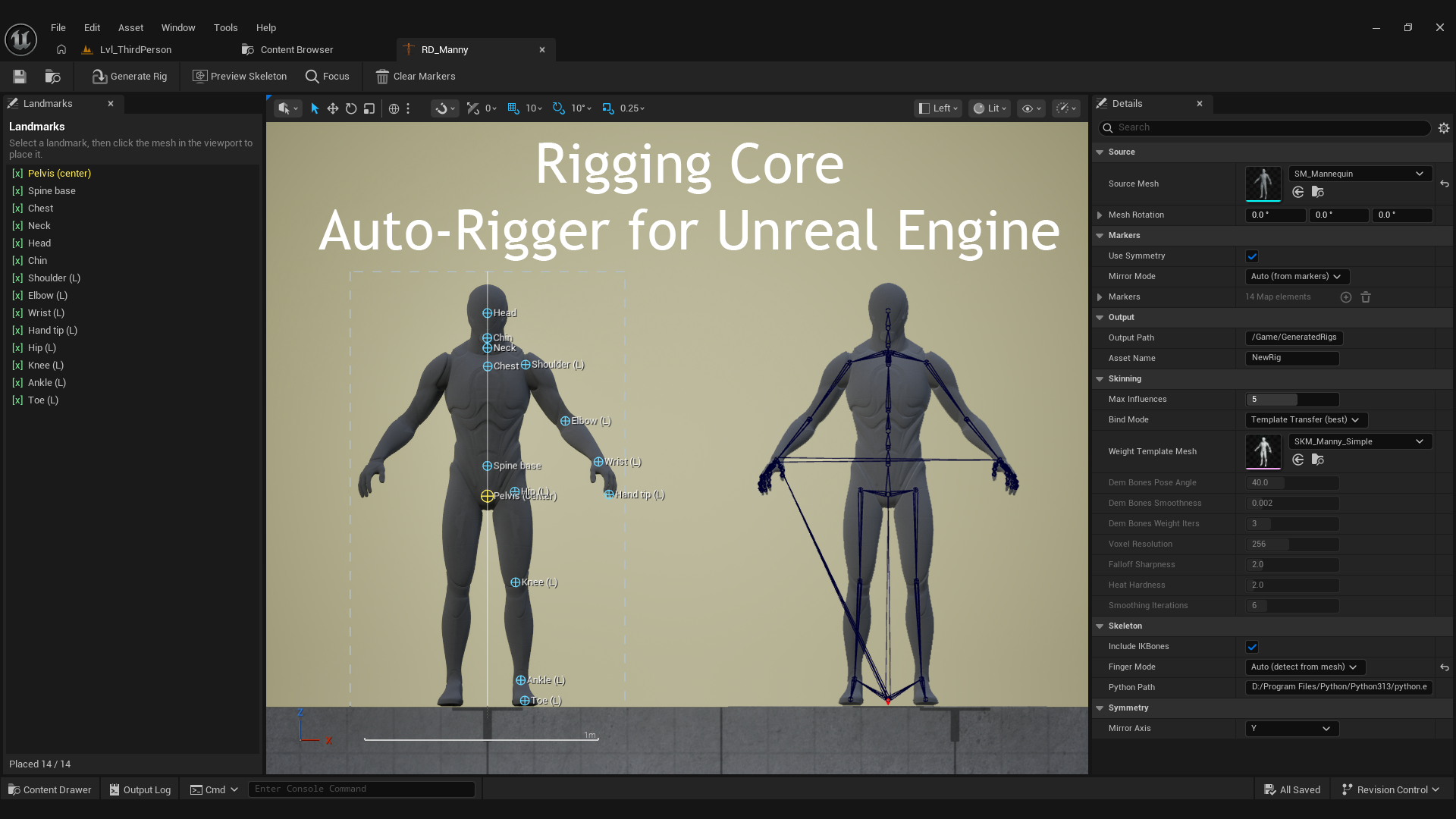
I'm making an auto-rigger that runs inside Unreal Engine. Instead of uploading your character to Mixamo or rigging it by hand in Blender, you place a few markers on the mesh and get back a full UE Manny skeleton with skin weights, ready to retarget animations onto. This first dev log is about getting the skeleton to work at all.
The idea
Unreal already ships a good skeleton, Manny. If I fit Manny's 89 bones to any character and keep its bone names and orientations, then every animation made for Manny (and everything on Mixamo) works through retargeting. So I don't need to make a new skeleton. I need to fit the one that is already there.
Step 1: The rig asset and the marker editor
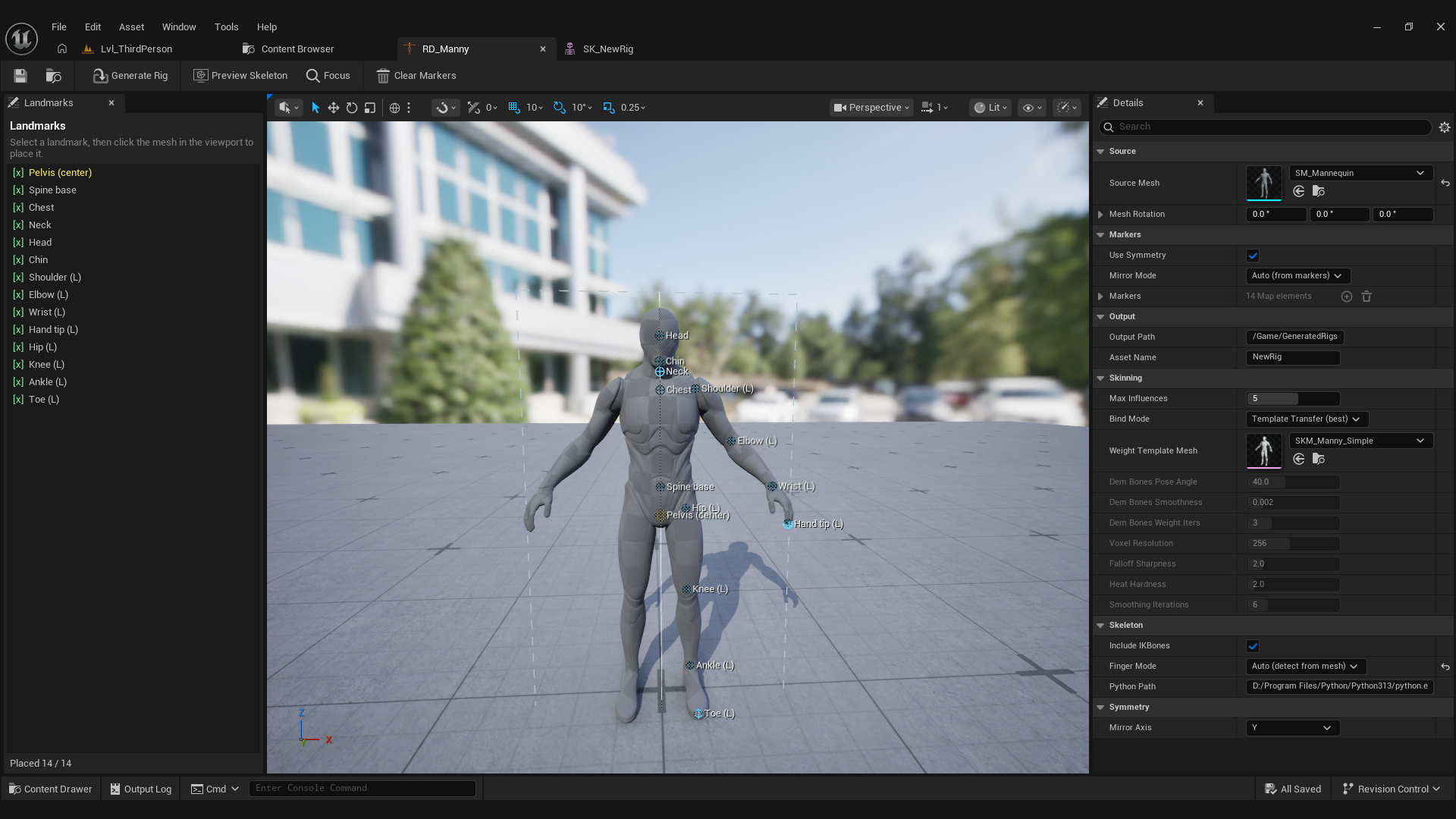
I made a new asset type, URigDefinition, that holds a source mesh and a list of landmarks. Then I made a custom editor for it: a viewport that shows the mesh and a panel that lists the markers to place (Pelvis, Spine Base, Spine Chest, Neck, Head, Shoulder, Elbow, Wrist, Hip, Knee, Ankle, Toe).
Placing a marker is a raycast. I trace a ray from the mouse into the mesh and walk the static mesh triangles for the hit. But bones are inside the limb, not on the surface. So instead of using the first hit, I collect all the ray hits, sort them, and place the marker at the middle of the entry and exit points. That puts spine and limb bones on the centerline.
Step 2: The Manny bone table
I need Manny's exact layout as data. I wrote a small command-line tool that loads SKM_Manny_Simple, reads its skeleton, and writes all 89 bones (names, parents, and their poses) into a header I build into the plugin. Now Manny's skeleton lives inside the plugin, without needing any asset loaded.
Step 3: Fitting the skeleton
This is the main part. FitSkeleton warps the Manny table onto markers:
- The main bones (spine base and chest, neck, head, shoulders, elbows, wrists, hips, knees, ankles) land exactly on their markers.
- The in between bones (spine_02 to spine_04, neck_02) are placed along the chain.
- Twist bones go to their parent. They have no animation driver in a generated rig.
- Bone orientations aim down the chain toward each bone's main child and keep Manny's roll. This is what makes retargeting look right.
- I get a mirror plane from the markers and mirror the whole left side onto the right, so the rig is symmetric even if my markers are a few millimeters off.
Step 4: From bones to a real asset
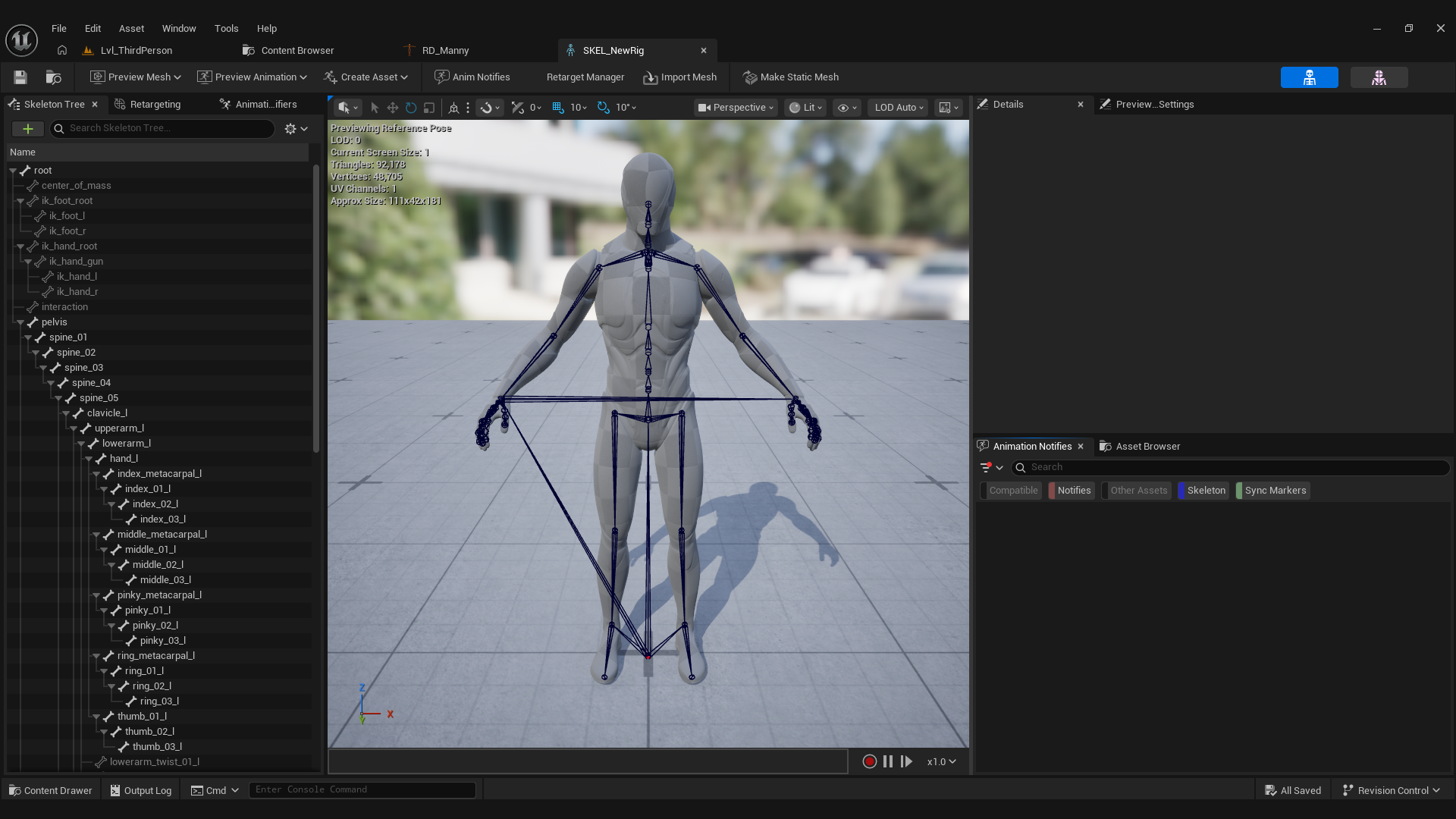
A list of bone transforms is not a skeleton. To make a usable asset I convert the source mesh to a FDynamicMesh3, bind skin weights to the fitted skeleton, then use UE's CreateSkeletalMeshAsset to make a USkeletalMesh, create the matching USkeleton, and call MergeAllBonesToBoneTree so the bone tree is built from the finished mesh. Save both, link them, done.
One thing that cost me an afternoon: CreateSkeletalMeshAsset needs a USkeleton that is not null up front, even though the header comment says otherwise. You have to make an empty skeleton first, pass it in, and let the merge build the bone tree after.
Where it is now
I can place markers on a mesh, press Generate Rig, and get a skeletal mesh and skeleton pair that binds and poses. It is not clean yet. The fingers are a mess and the skin weights tear when you bend a joint. I wrote a dev log about each of those next.